Chapter 4: Daily Practice & Classroom Integration
Designing Learning with AI
Designing Learning with AI
As an educator, you're already making decisions about how technology fits into your teaching. AI introduces new possibilities, but the same questions apply: Does it support your learning goals and meet your students' needs?
Existing frameworks can help guide these decisions. The Technological Pedagogical Content Knowledge (TPACK) framework (2006) explores how technology, teaching approaches, and subject knowledge work together. A TechnoEthical Framework for Teachers (2023), developed by Canadian researchers, adds an ethical perspective.
While neither was developed specifically for AI, both offer useful guidance for integrating it thoughtfully into your teaching.
Using AI as a Thought Partner
One way to approach designing learning with AI is to use it as a thought partner or collaborator.
Rather than asking for a finished product, this involves a back-and-forth process where AI can help generate possibilities, question an idea, suggest alternatives, or refine something you've already started. Wilson and Burleigh’s Generative Artificial Intelligence as a Collaborative Thought Partner (2026) describe this kind of collaboration as a way to support creative thinking and the ongoing development of ideas, rather than just automating tasks.
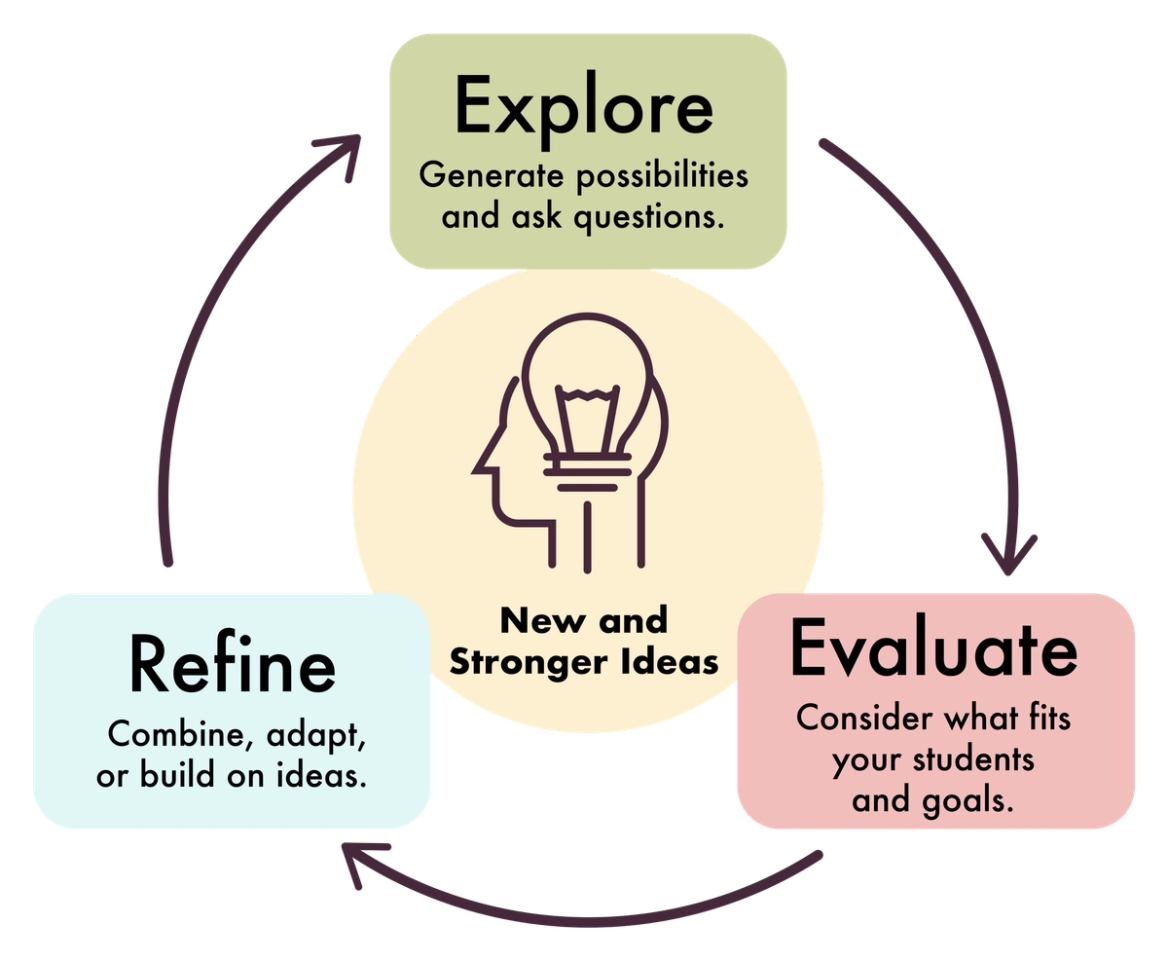
For this topic, we'll think about human and AI collaboration in three stages: Explore, Evaluate, and Refine. The cycle below offers a simplified way to visualize this process.
Co-Designing Lesson Plans & Units
There are different ways to work with AI when planning a lesson or unit. General-purpose AI tools such as ChatGPT, Claude, Microsoft Copilot, or Google Gemini can help brainstorm lesson hooks, explore interdisciplinary connections, or develop an early unit outline. These tools are all examples of generative AI because they use a specific type of AI model (a large language model) to create new types of content.
What About Education-Specific AI Tools?
You might also encounter AI tools designed specifically for educators. These are sometimes described as teacher-wrapped interfaces because they place an education-focused interface around a generative AI system. Instead of writing every part of a prompt yourself, the tool may ask you to fill in fields such as your grade, subject, learning objective, curriculum standard, or lesson length.
For example, the Teacher Time Machine lesson planner asks educators to select information such as jurisdiction, grade, course, outcomes, and competencies. MagicSchool similarly provides dedicated tools for tasks such as lesson planning, assessment, feedback, and worksheet generation.
Try It: Co-Design a Lesson with AI
Start with Your Curriculum and Learning Context
Before opening an AI tool, start with what you know about the lesson and curriculum based on your province or territory. The example below uses Alberta's curriculum, but the same process can be applied using any curriculum.
For this example, imagine you're planning a Grade 5 Math lesson in the Patterns unit. You know where your students are in their learning and which curriculum outcomes you want to address. Alberta's K–6 Math curriculum includes general and specific outcomes, with the specific outcomes providing more detail about what students are expected to learn (Government of Alberta, 2022).
Before using AI, consider:
- What do I want students to learn?
- Where are they currently in their learning?
- What does the curriculum expect?
- What kind of learning experience would make sense for this class?
Give AI the Context It Needs
Once you have a clear starting point, you can decide what information the AI needs to help you explore lesson ideas. Rather than asking for a generic Grade 5 math lesson, bring some of your own context into the prompt.
You might include:
- Grade and Subject: Grade 5 math
- Learning Objectives and Outcomes: What should students understand or be able to do?
- Learning Context: Where are students in the unit or what have they already explored?
- Time: How long is available?
- Learning Experience: Is there a particular activity, discussion, investigation, or approach you want to explore?
Prompt Example:
I'm planning a 60-minute Grade 5 math lesson in the Patterns unit. [Insert exact curriculum outcome]. My students have already [insert where students are in the unit]. I'd like the lesson to include a collaborative activity. Suggest three different ways I could approach this lesson.
Explore
The first response is a starting point, not a finished lesson.
Instead of immediately asking AI to write an entire lesson plan, use follow-up prompts to explore different possibilities.
Follow-Up Prompt Examples:
- Suggest three different lesson hooks for this outcome.
- What connections could students make between this topic and concepts they have learned previously?
- Give me three collaborative activities that approach this learning outcome in different ways.
Review the suggestions and identify which ideas seem promising for your students.
Evaluate
Now bring your own knowledge back into the conversation. Consider whether the ideas fit your learning goals, students, available time and resources, and classroom context.
Refine
Once you've found an idea worth developing, continue the conversation. Be specific about what you want to adjust and why.
Follow-Up Prompt Example:
I like the second activity, but it would take too long for a 60-minute class. Adapt it so students can complete it in about 30 minutes.
Or:
Keep the basic activity, but give me two ways I could make it more accessible for students who need additional support with word problems.
The process can continue as needed: Explore, Evaluate, and Refine. Each exchange gives you another opportunity to add context, question a suggestion, or steer the lesson in a different direction.
Aligning AI Outputs with Curriculum Standards
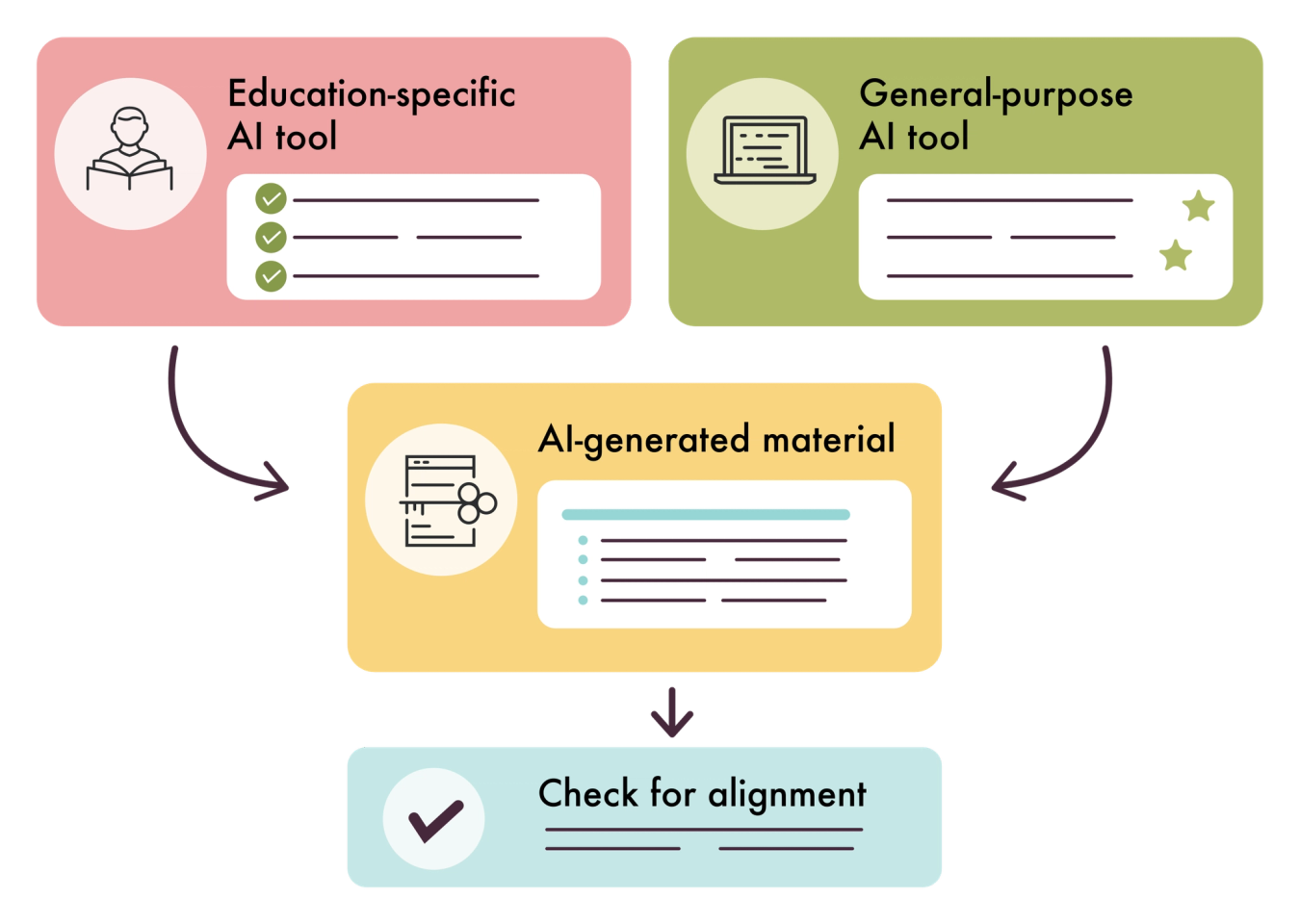
In the previous example, curriculum information was part of the co-design process from the beginning. How you include that information depends on the tool you're using. Some education-specific AI tools may already have curriculum information built in, allowing you to select relevant outcomes or provide additional details. With general-purpose AI tools, you'll typically need to include that curriculum context in your prompt.
In either approach, you decide which learning outcomes to focus on and what classroom context is relevant to share.
Two Pathways to Curriculum Alignment
Drafting Rubrics and Assessment Tools
AI tools can support some of the work that happens around assessment, including the process of developing a rubric. But there is an important distinction between using AI to help design an assessment tool and asking AI to assess a student.
Assessment draws on an educator's knowledge of the curriculum, what students have been taught, the purpose of the assessment, and the individual context behind student learning. UNESCO's Recommendation on the Ethics of Artificial Intelligence (2021) emphasizes particular caution when AI systems are used to assess students:
“AI systems used in learning should be subject to strict requirements when it comes to the monitoring, assessment of abilities, or prediction of the learners’ behaviours.”
Try It: Drafting a Rubric
Just as we saw with lesson planning, providing AI with context can make its suggestions more useful. Rather than asking to “create a rubric for this assignment,” try providing more information about the task, learning outcomes, and classroom context.
Prompt Example:
I'm developing a rubric for [assessment task] aligned with [curriculum outcome]. Students have been learning [context]. Suggest four possible criteria that could demonstrate this learning. Do not assign grades or scores. I'll review and adapt the criteria before developing the rubric further.
From there, you can continue exploring and refining the rubric.
Curating & Adapting Learning Materials
Creating with AI doesn't always mean inventing something new. It can also mean adapting something you already have.
Try It: One Resource, Different Possibilities
Iterative Prompting for Educators
When using AI to plan a lesson or create materials, you might come across an idea you like but want to adjust. Through follow-up prompts, you can explore different possibilities, refine suggestions, and shape the response to better align with your teaching goals. This back-and-forth process builds on the idea of using AI as a thought partner or collaborator, introduced earlier.
This approach is also commonly known as iterative prompting. Rather than simply asking for another response, you can provide specific feedback or additional context to guide what is generated next.
Try It: What Could You Adjust?
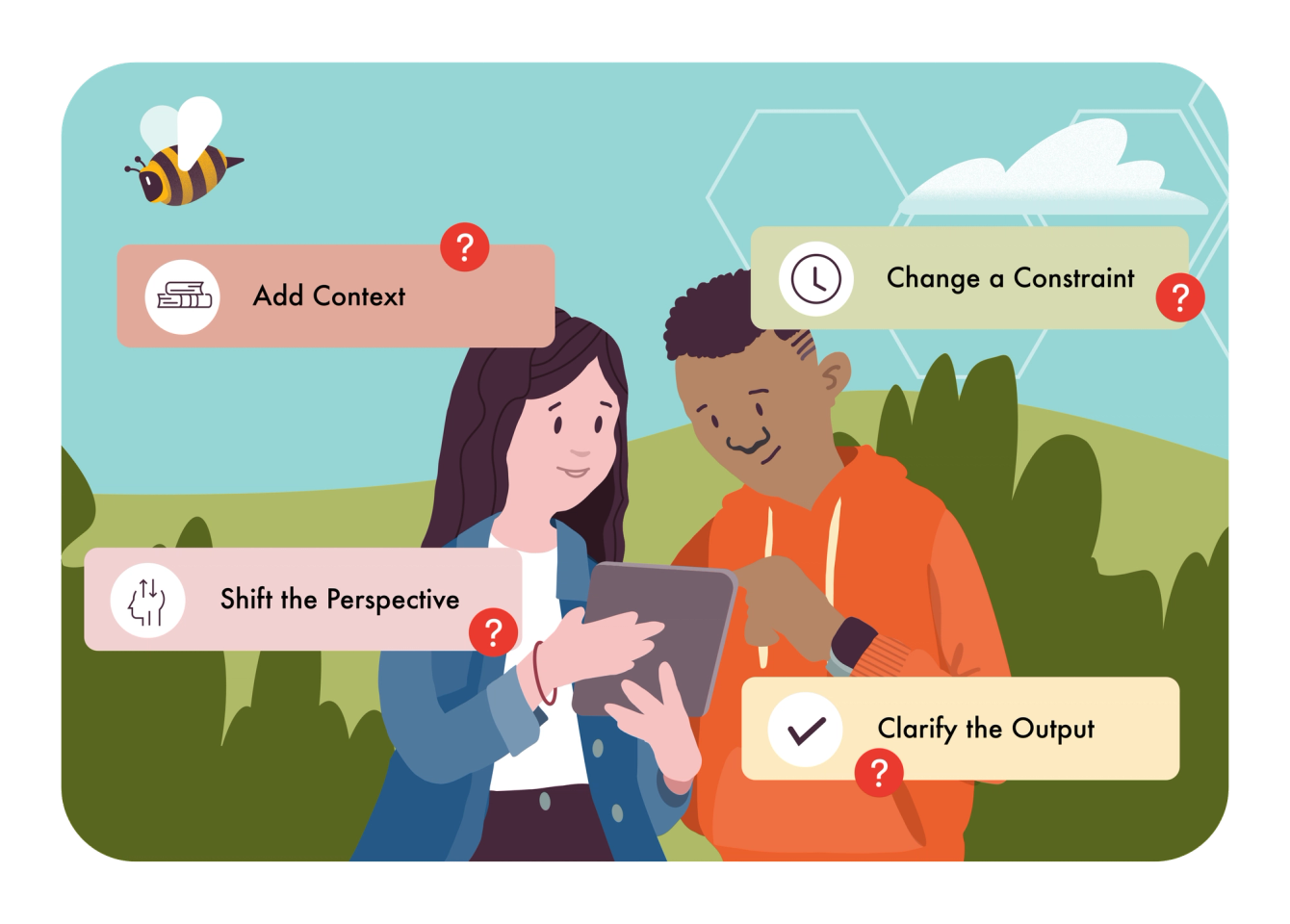
Add Context
Provide relevant details about your learning goals and classroom context.
Follow-Up Prompt Examples:
- My students are already familiar with the basic concepts, so focus on applying their knowledge rather than reviewing it.
- This activity will come after a class discussion where students have already explored several perspectives. Build from that discussion rather than introducing the topic again.
- Several students are still developing confidence with the terminology in this unit. Keep the key vocabulary, but make the instructions clear and accessible.
Change a Constraint
Set boundaries around what will work in your classroom (e.g., time, materials).
Follow-Up Prompt Examples:
- Keep the activity under 20 minutes and use materials that would typically be available in a classroom.
- Adapt this so it can be completed individually rather than in groups.
- Keep the main idea, but simplify the setup so it requires no printing or advance preparation.
Shift the Perspective
Explore the idea from another point of view (e.g., accessibility, student lens).
Follow-Up Prompt Examples:
- Review these ideas from the perspective of an educator looking for opportunities for active student participation.
- Look at this activity through an accessibility lens. What parts might create unnecessary barriers for students?
- Review this explanation from the perspective of a student encountering the concept for the first time. Where might they need more support or clarification?
Clarify the Output
Be specific about what kind of response you need (e.g., format, level of detail).
Follow-Up Prompt Examples:
- Give me three options and briefly explain the strengths and limitations of each rather than developing one complete activity.
- Organize these ideas in a table showing the activity, approximate time, materials needed, and type of student participation.
- Don't rewrite the entire resource. Identify the three areas you would change and explain why.
You don't need to use every approach in every prompt. The idea is to review the output, decide what can be improved, and continue the conversation in a way that works for you.