Chapter 4: Daily Practice & Classroom Integration
Differentiating Learning and Adapting Instruction
Differentiating Learning and Adapting Instruction
Every classroom includes students with different strengths, experiences, interests, backgrounds, abilities, and support needs. Educators already make countless decisions about how to help students access learning and demonstrate what they know.
Differentiated instruction, often called differentiation, involves adapting teaching approaches, materials, or supports to respond to students' different learning needs while working toward appropriate learning goals.
Universal Design for Learning (UDL) offers a complementary approach that focuses on anticipating barriers before they arise. Rather than waiting for a barrier to appear and then adapting instruction, UDL encourages educators to design flexible learning experiences with learner variability in mind from the start (CAST, 2024).
The framework is organized around three core principles:
- Multiple Means of Engagement: different ways for learners to connect with and participate in learning.
- Multiple Means of Representation: different ways of presenting and accessing information.
- Multiple Means of Action and Expression: different ways for learners to interact with learning and demonstrate their understanding.
Universal Design for Learning (UDL): Designing for Learner Variability
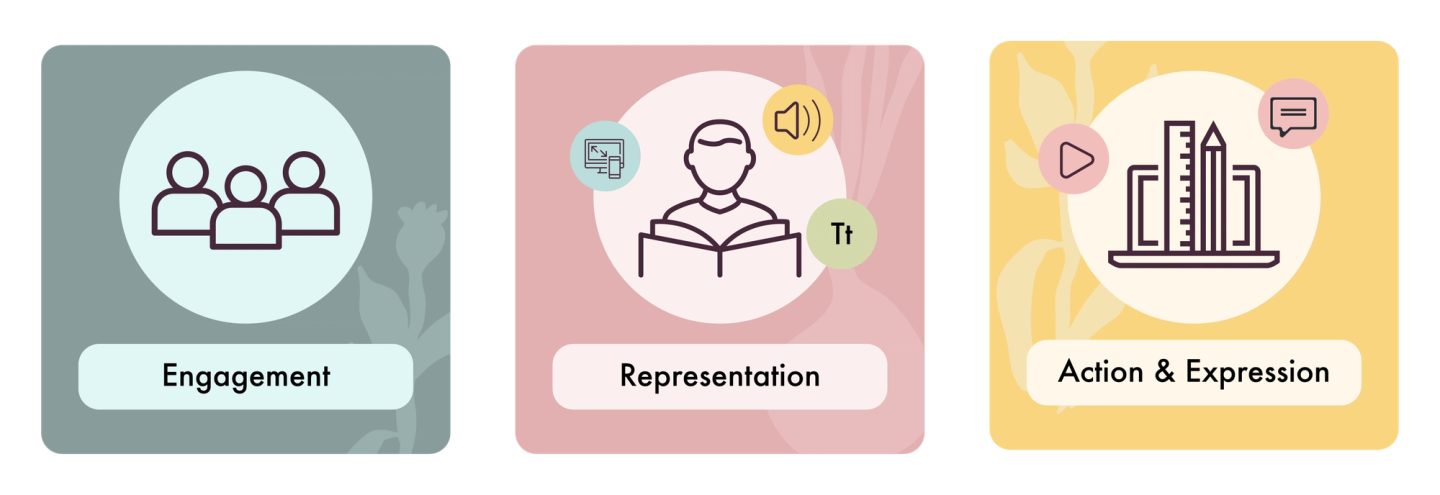
Engagement
Focus: Different ways to connect and participate
AI Might Help With:
- Generating interest-based examples
- Choice boards
- Practice scenarios
Representation
Focus: Different ways to access information
AI Might Help With:
- Simplifying text
- Summarizing
- Translating
- Generating alternate explanations
Action & Expression
Focus: Different ways to demonstrate learning
AI Might Help With:
- Creating scaffolds
- Response options
- Outlines
- Alternate formats
Creating these flexible options can require significant planning and preparation time. AI can help educators create and adapt many of these supports, from alternative explanations and scaffolds to different ways of representing a concept or demonstrating learning.
UDL still guides the instructional decisions. Educators determine the learning goal, anticipate meaningful barriers, and decide which options are appropriate for students.
In this topic, we’ll build on UDL principles and explore how AI can help you differentiate and adapt learning by adjusting reading levels, supporting multilingual learners and their families, enhancing accessibility, and personalizing learning pathways.
UDL provides the foundation. AI can help educators create flexible pathways into the same learning goal.
Adjusting Reading Levels & Scaffolding
Reading is an important part of learning across subjects, from understanding science concepts to interpreting instructions in math or exploring historical events. However, the literacy demands of a task can sometimes create barriers. A student may understand the underlying concept but still struggle with unfamiliar vocabulary, complex sentences, text structure, or the amount of reading required. AI tools can help educators reduce these barriers by adjusting language, text complexity, or providing scaffolds while keeping the learning goal intact.
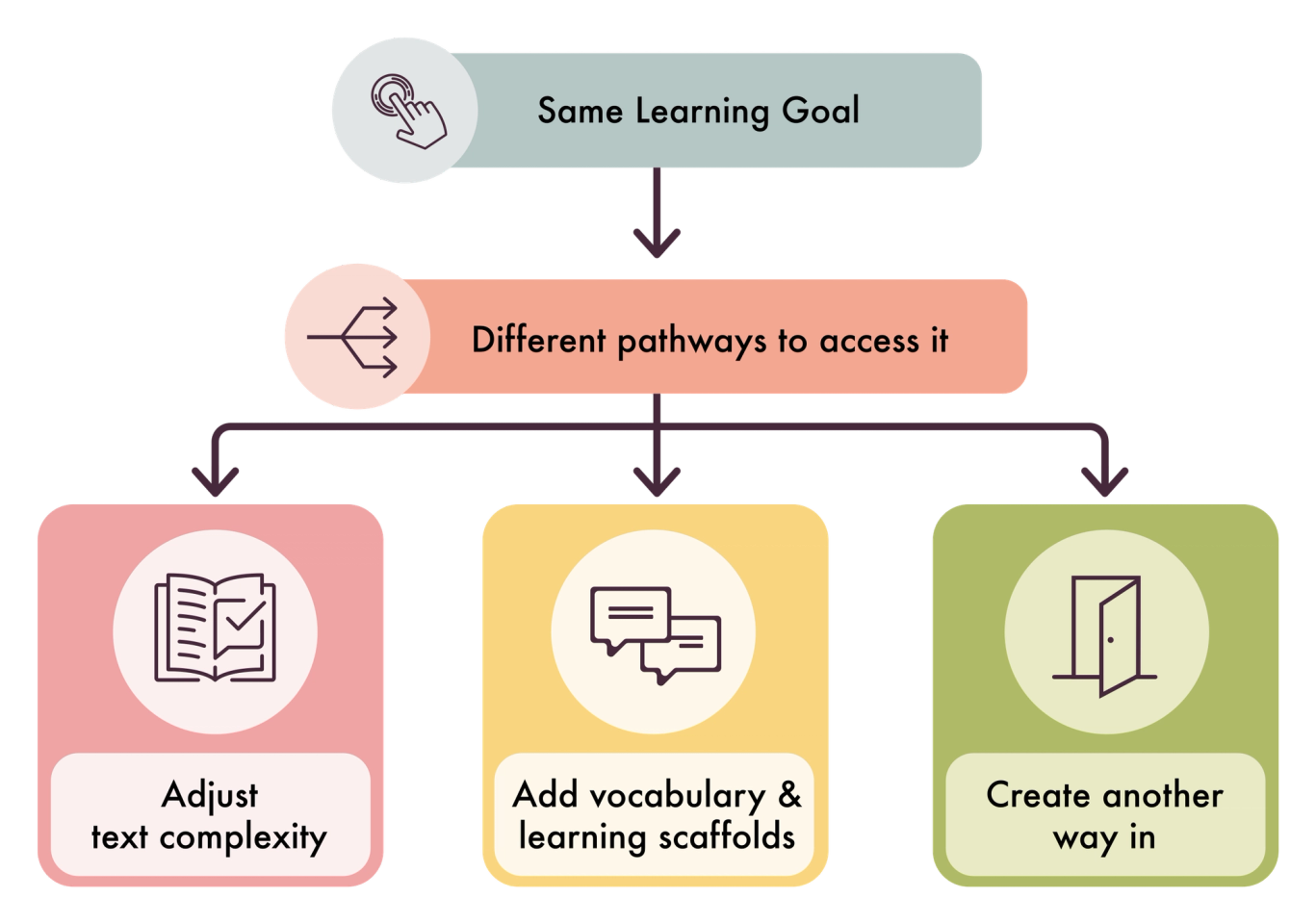
Adjust the Complexity, Not the Expectation
AI can make it possible to adapt everyday classroom materials, helping educators respond to accessibility needs. The key is to identify what is creating the barrier, then adjust that feature without removing the vocabulary, concepts, or level of thinking students are expected to develop. A dense science passage, for instance, might benefit from shorter sentences and clearer transitions, while the scientific terminology itself may need to remain because vocabulary is an essential part of the learning goal.
AI-supported differentiation can also happen dynamically. Some adaptive reading platforms adjust texts, activities, or supports based on learner performance. In one study of senior high school students, learners using an AI-based personalized reading platform performed significantly better on reading-comprehension assessments than students in a control group (Hidayat, 2024).
Want to Learn More?
Explore the Resource: Effectiveness of AI-Based Personalised Reading Platforms in Enhancing Reading Comprehension
Create Learning Scaffolds
Not every reading barrier requires changing the original text. Sometimes the more effective response is to add a scaffold, or temporary support that helps a student complete a learning task they might otherwise find difficult. Examples include glossaries, reading guides, sentence starters, and guiding questions. These supports can help students access the material while keeping the original learning goal intact.
The scaffold you choose should respond to the specific barrier the student is experiencing. Examples below include unfamiliar language, organizing ideas, complex text, and finding what matters.
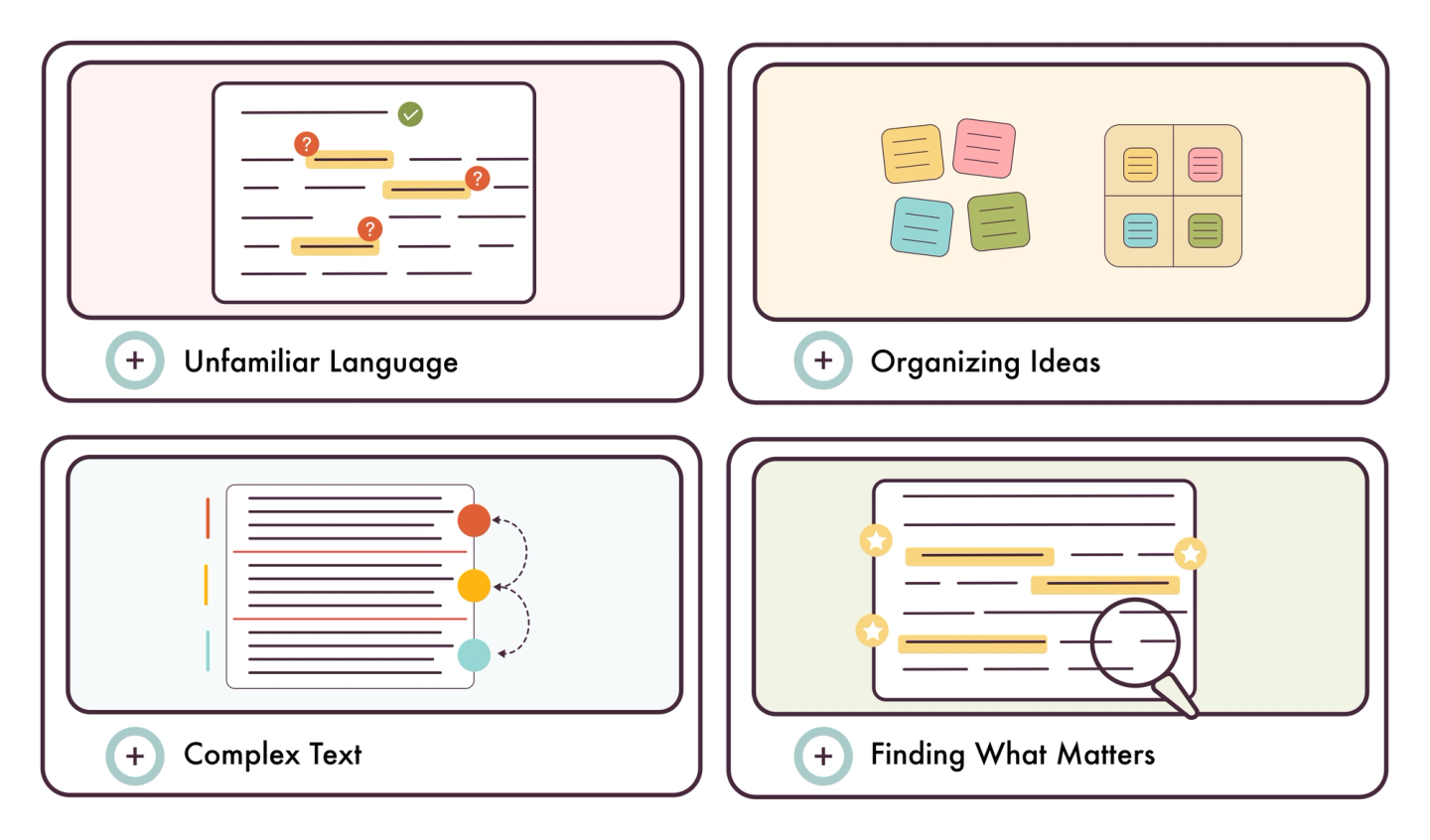
Unfamiliar Language
What It Might Look or Sound Like:
“I don’t know these words, so I’m having trouble understanding the passage.”
AI Can Help Create:
Student-friendly definitions, word banks, bilingual or subject-specific glossaries, sentence frames.
Prompt Example:
Create a student-friendly glossary for these terms. Keep the academic vocabulary, but explain each term in clear Grade 6 language.
Organizing Ideas
What It Might Look or Sound Like:
“I know what I want to say, but I don’t know how to start.”
AI Can Help Create:
Sentence starters, structured outlines, graphic organizer content, planning prompts.
Prompt Example:
Create a simple planning scaffold for this written response. Include three guiding questions and sentence starters, but do not write the response for the student.
Complex Text
What It Might Look or Sound Like:
“I lose track of how the ideas connect.”
AI Can Help Create:
Reading guides, section prompts, guiding questions, or graphic organizers.
Prompt Example:
Create a short reading guide for this text. Break it into sections and add one guiding question for each section without giving away the answers.
Finding What Matters
What It Might Look or Sound Like:
“I read it, but I don’t know what I’m supposed to take from it.”
AI Can Help Create:
Focus questions, examples and non-examples, or concise summaries.
Prompt Example:
Create three guiding questions that help students identify the most important ideas in this text without giving them the answers.
Select a scaffold based on the learning barrier. AI can help create possible supports, but the educator still determines what the student actually needs.
Create Another Way In
Changing the reading level is only one way to adapt text. Sometimes a student does not need a simpler version of the same explanation. They may benefit from encountering the concept through a different format, context, or experience.
Educators have long used stories, visuals, analogies, roleplay, music, and real-world scenarios to help students connect with new ideas. AI can offer another way to create or adapt some of these resources around a particular learning goal or classroom need.
Whatever the format, a different entry point might help the student access or make sense of the same core learning.
Try It: Entry Point Prompt
Rather than asking AI to “make this activity more engaging,” provide the learning objective and ask for several different pathways to it.
Prompt Example:
I’m teaching [learning objective/concept] to [grade level]. Suggest three different entry points that could help students access this concept. Include at least one approach that would be difficult or time-consuming to create without AI, such as an interactive scenario, custom visual, short audio concept, or branching activity. Keep the core concept and level of challenge the same.
Review suggestions as instructional options, not ready-to-use materials. Choose or adapt the approach that best fits your students, the curriculum, and the purpose of the lesson.
Supporting Multilingual Learners
Multilingual learners are often learning new content while also navigating the language used to teach it. AI can help reduce some of the language barriers students encounter by translating, explaining, adapting, and providing opportunities for language practice.
Translanguaging is the flexible use of a multilingual learner’s full linguistic repertoire to support meaning-making, learning, and communication, rather than treating each language as completely separate (Lewis et al., 2012). In practice, this might mean discussing an idea in one language, reading about it in another, or using both languages while developing understanding. Rather than viewing a learner’s home language as a barrier, translanguaging treats it as a resource for learning.
AI can help create more opportunities for multilingual learners to move between languages while working toward the same learning goal.
Three Ways AI Can Support Multilingual Learners
What This Might Look Like:
A multilingual learner understands the science concept but is getting stuck on the English vocabulary used in the text.
AI Can Help:
Translate instructions or passages, explain vocabulary in the learner’s home language, create bilingual glossaries, simplify language while preserving the concept, or provide another explanation.
Prompt Example:
I’m teaching [topic] to [grade/age group]. A multilingual learner is getting stuck on the English academic vocabulary in this text: [paste text]. Create a bilingual glossary in English and [language]. Keep the key academic terms and explain each one in clear, student-friendly language.
In its report, Guidance for Generative AI in Education and Research (2023), UNESCO identifies the potential for generative AI to support communication across languages through translation, paraphrasing, and language assistance. However, more equitable multilingual use requires purposeful design, particularly for languages that are less represented in AI training data.
Educator Tip
Translation is not the same as cultural or contextual understanding. Before relying on AI-generated language support, ask:
- Is the meaning accurate?
- Does the language sound natural in this context?
- Has an important tone or nuance changed?
- Is the language or example culturally appropriate?
- Does the learner recognize the support as useful and accurate?
Assistive Technology and AI-Supported Accessibility
Accessibility is not about adding more technology. It is about removing barriers that prevent students from accessing, participating in, or demonstrating learning. Technology can play an important role in reducing these barriers, but different tools offer different types of support.
Assistive technology refers to tools or features that help people perform tasks or participate in activities that might otherwise be difficult because of a disability or accessibility barrier. Examples include screen readers, speech-to-text tools, and alternative communication devices.
AI can enhance some of these technologies through features such as speech recognition, word prediction, or personalized recommendations. However, not all assistive technologies rely on AI.
What Can Technology-Supported Accessibility Look Like?
Many accessibility features are already built into tools and platforms educators and students use every day. Some use AI, while others rely on conventional technologies. The examples below demonstrate different ways technology can help remove barriers to learning, regardless of whether AI is involved.
| Type of Support | What It Can Help With | Tool Example |
|---|---|---|
Reading focus & visual access | Reducing crowding and helping students track text | Read&Write: dims or masks parts of the screen so the student can focus on a smaller section of text at a time |
Vocabulary & word understanding | Supporting unfamiliar vocabulary without removing the original text | Microsoft Immersive Reader: lets students select words to see a visual representation and hear the word read aloud. |
Reading aloud & text access | Allowing students to hear written or image-based text | Read&Write: reads text aloud from screenshots or content that is not otherwise easily selectable. |
Written expression | Reducing barriers related to typing, spelling, or getting ideas onto the page | Read&Write: converts speech into written text so students can compose without relying entirely on typing. |
Language support | Supporting vocabulary, translation, and comprehension across languages | Microsoft Immersive Reader: can translate selected text and support bilingual access to content. |
Research on AI and inclusive education suggests that tools such as captions, audio descriptions, text-to-speech, speech-to-text, and adapted materials may improve access for some students. Their usefulness still depends on the student, the context, and what the support is meant to make more accessible (Melo-López et al., 2025).
Accessible Does Not Always Mean Appropriate
A tool may be labelled accessible or adaptive and still be a poor fit for a particular student or learning goal.
Research on AI and inclusive education also identifies barriers such as unequal access to devices and connectivity, infrastructure and cost requirements, limited educator preparation, and concerns about privacy and sensitive information (Melo-López et al., 2025).
The supports themselves may also require review. Captions can misinterpret speech. Image descriptions can omit crucial details. Speech-recognition systems may perform differently across speakers. Automated recommendations may make assumptions about what supports a student needs.
The student’s needs, preferences, and context should remain central to the decision.
AI can expand the range of support available. Inclusion depends on how thoughtfully those supports are selected, implemented, and reviewed.
Personalizing Learning Pathways
Research on AI in primary and inclusive education similarly identifies personalization, adaptive feedback, and targeted support as promising uses of AI when educators remain involved in interpreting student needs and selecting appropriate next steps (Bagdonaitė & Dagienė, 2025).
Personalized learning pathways involve adjusting the support, pace, or level of challenge a student receives based on their learning needs and progress, while maintaining appropriate learning goals. UDL helps educators anticipate variability across a group of students. Sometimes, an individual student also needs a more targeted next step.
Personalization begins with a simple question: What does this student need next?
Personalization does not mean creating a completely different curriculum for every student. It means responding to what a student is ready for next while maintaining shared curricular goals and appropriate expectations. Generative AI tools can help educators create targeted practice, prerequisite support, or extension activities without having to build every variation over again.
Build Foundations
A student may need prerequisite knowledge or targeted review before moving into more complex work.
AI Can Help Generate:
- Prerequisite practice
- Examples
- Targeted review
- Another explanation of a developing concept
Classroom Example:
A student is beginning a fractions task but is still unsure how equivalent fractions work. AI could help generate a short prerequisite practice set focused on that skill.
Strengthen Developing Skills
A student who understands the basics may need more opportunities to practice, apply, or receive feedback.
AI Can Help Generate:
- Additional practice
- Varied examples
- Targeted feedback opportunities
- Gradually more challenging questions
Classroom Example:
A student understands equivalent fractions but needs more practice applying the concept in different contexts. AI could generate three new problems that vary the context while keeping the same learning goal.
Extend Learning
Students who are ready to move further may need greater complexity rather than simply more work.
AI Can Help Generate:
- Deeper applications
- Unfamiliar problems
- Interdisciplinary connections
- Extension activities connected to student interests
Classroom Example:
A student has already demonstrated a strong understanding of equivalent fractions. AI could generate an unfamiliar application that requires them to use fractions in a new context rather than assigning more of the same practice.
These examples show how personalization can change the support, pathway, pace, or level of challenge while keeping the learning goal and expectations consistent. The important decision is still the educator’s: identifying what the student needs next and choosing a response that fits.
Ensuring Fairness & Checking for Bias
The purpose of differentiation is to expand access and opportunity. However, AI-generated adaptations and recommendations can create new barriers if we accept them without questioning the assumptions behind them.
Earlier in this course, we explored how bias can enter AI systems through the data they learn from, what is represented or missing, and the choices made in their design and use. In differentiated learning, this bias can influence the support a student receives, the level of challenge they're offered, or the assumptions made about their abilities and learning needs.
Reflect: What Is the AI Assuming?
An adaptive learning platform notices that a student has struggled with several reading-heavy science activities. It begins recommending shorter texts, simpler vocabulary, and less complex questions.
Before continuing, consider:
- What pattern has the system identified?
- What might the system be assuming about why the student is struggling?
- What important context might the system not know?
- What could happen if the recommendation is accepted automatically?
The Important Distinction
The system may have identified a real pattern in the student’s performance, but the pattern doesn’t necessarily explain its cause.
A lower result on reading-heavy tasks could reflect many different factors, such as reading complexity, unfamiliar academic language, missing prerequisite knowledge, fatigue, an inaccessible format, or a gap in conceptual understanding.
AI can identify patterns and use them to generate recommendations. Educators bring the context needed to decide what those patterns actually mean for the student.
Research on AI in education also highlights concerns about bias and fairness when AI is used to personalize learning or recommend supports (Bagdonaitė & Dagienė, 2025).
These concerns make it important to look closely at how a recommendation was reached and what could happen if it is wrong.
AI can generate recommendations about what a student may need next. Educators determine whether those recommendations are fair, appropriate, and grounded in the student’s actual context.